Checkmk – The award-winning Zabbix alternative
Zabbix provides great depth, but modern hybrid environments require high-density scalability. Checkmk bridges the gap between traditional on-premises infrastructure and cloud-native ecosystems. Driven by rule-based configuration, it delivers a hyper-scalable, low-overhead alternative that drastically reduces manual configuration maintenance.




Prefer to look around? Get demo access in seconds.
Access DemoHow Checkmk accelerates your observability workflow
Checkmk (Self-Hosted) |
Zabbix (Self-Hosted) |
|---|---|
| Setup & Discovery | |
| Automatic service discovery & rule-based configuration. | Manual template mapping; steep learning curve. |
| Remote Polling | |
| Centralized management via Remote Sites; Checkmk Ultimate includes lightweight Checkmk Relays. | Distributed Zabbix Proxies requiring manual configuration and independent maintenance. |
| Alert Analysis | |
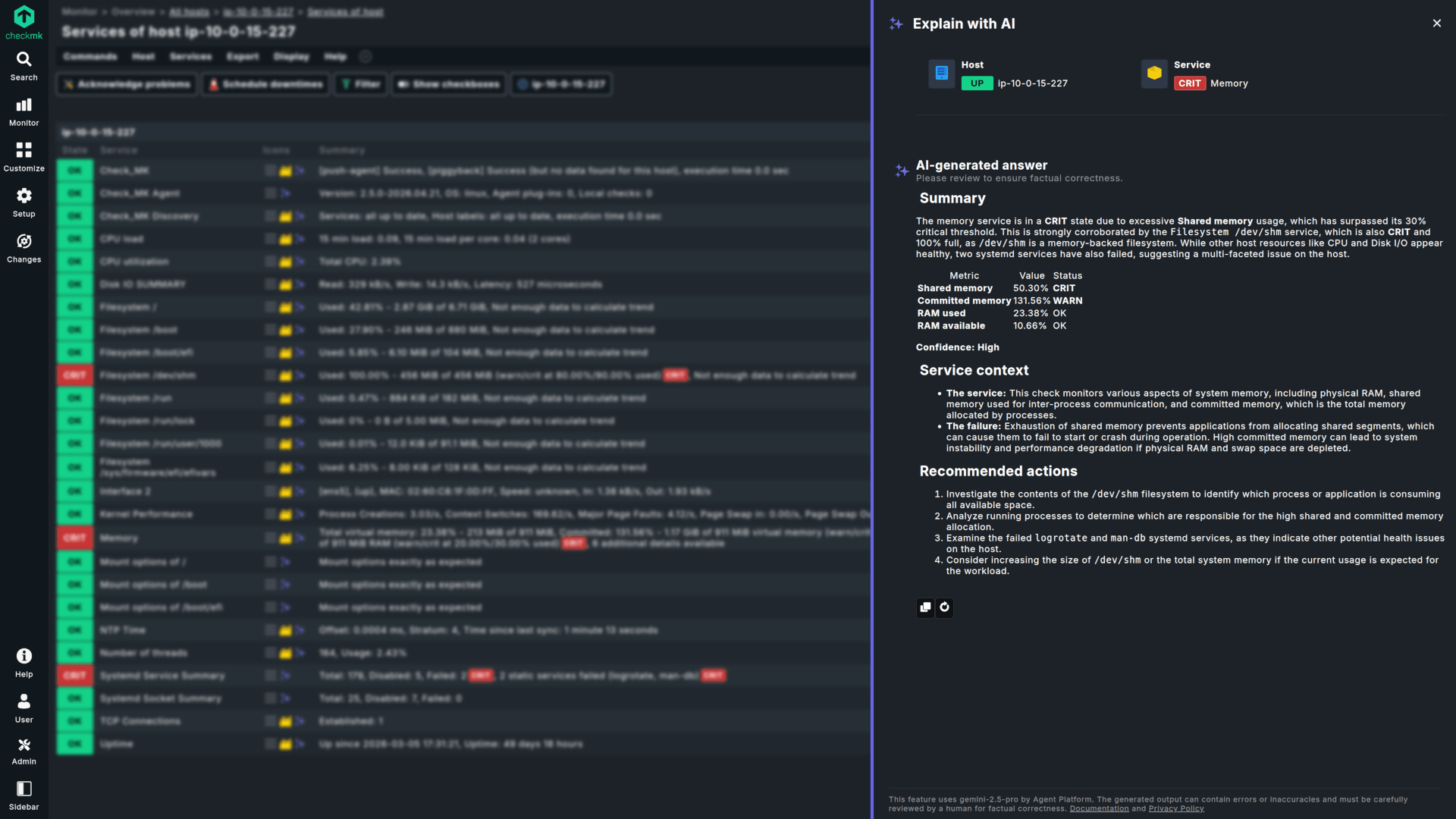
| Pre-set thresholds & built-in noise reduction. | High volume of raw alerts; manual dependency mapping required. |
| Data Performance | |
| Micro-Core (CMC) keeps active monitoring states in-memory, ensuring low disk I/O. | Features a resource-intensive SQL footprint, requiring database tuning. |
| Cloud Integrations | |
| Native Azure/AWS tag mapping, dedicated GCP dashboards, and automated cloud-native workload tracking. | Official AWS/Azure/GCP templates exist, but each requires manual credential and macro setup per service, with coverage gaps on some PaaS services. |
| User Experience | |
| Modern, unified UX optimized for fast contextual navigation. | Multi-layered interface with deep click-paths for analysis. |
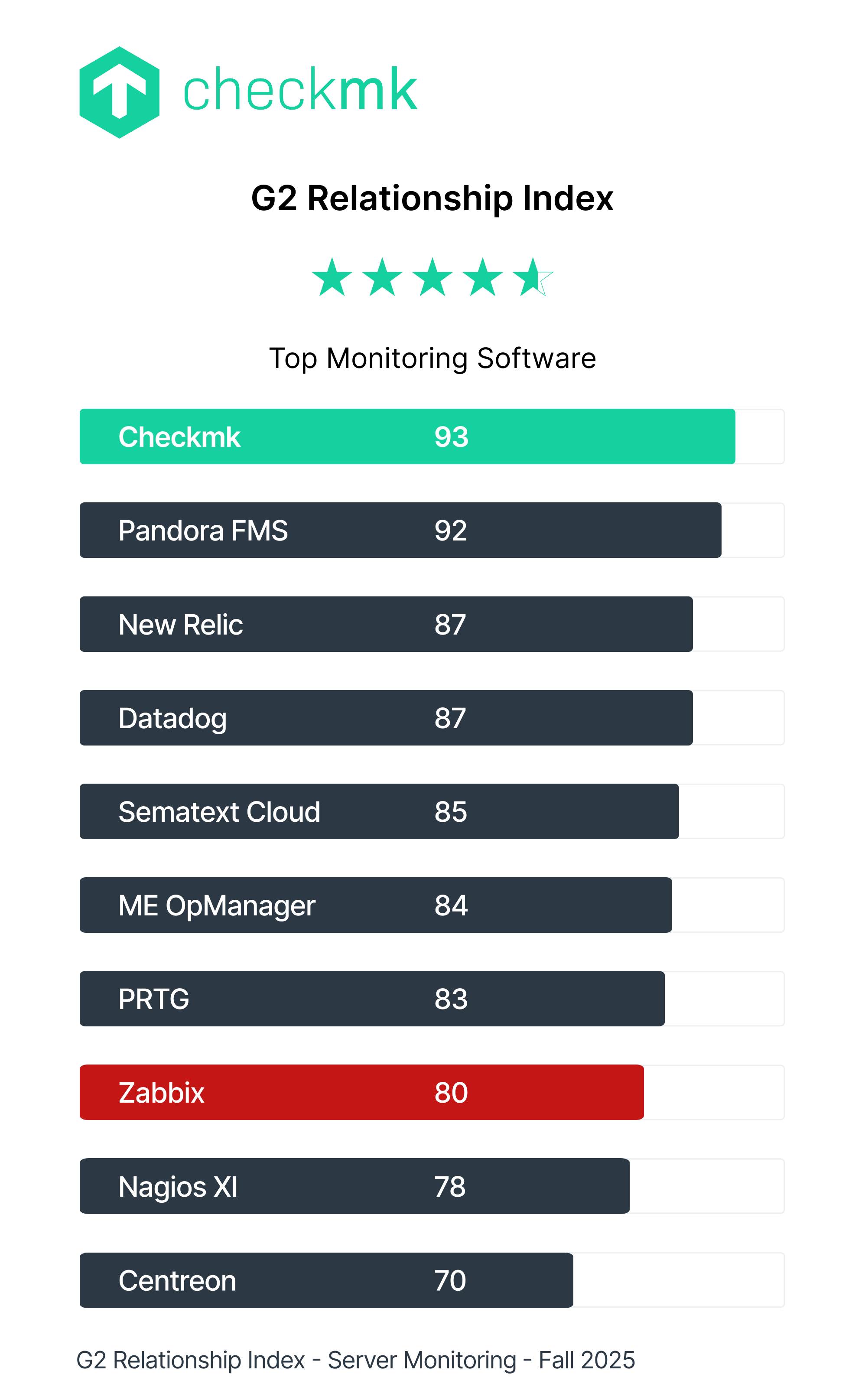





Checkmk is trusted by industry leaders worldwide










Checkmk is initially easy to set up and later powerful to use. There are tons of possibilities to enhance and optimize the tool to fit your needs.
Rasmus P. Senior System Analyst

A leading IT infrastructure monitoring system which helps your business easily manage servers, keep track of your applications and monitor cloud infrastructure.
Sarah J. Management Consultant
Checkmk has very well-organized and easy-to-follow dashboards that display real-time data from various IT infrastructure. It’s transformed our business operations.
Jade J. Operational Risk Consultant
A low-cost and extremely well-performing monitoring tool with good support from both the developers and the product community as well.
Peter L. Principal System Engineer
I sleep well knowing that if there is an issue, Checkmk will find it before users start complaining. Compared to other IT monitoring solutions, Checkmk is the most efficient platform.
George P. Lead Technical Support Engineer
Total cost of ownership (TCO) context
While Zabbix licenses are free, enterprise support is not—and scaling the platform introduces operational debt. Relational databases require continuous tuning, template inheritance causes configuration lock-in, and managing independent remote proxies drains engineering time.
True TCO is not just the software license — it is the operational overhead of maintenance.
Why enterprise teams switch to Checkmk
Discover how Checkmk minimizes maintenance overhead while providing deep infrastructure insights.
Fast Configuration
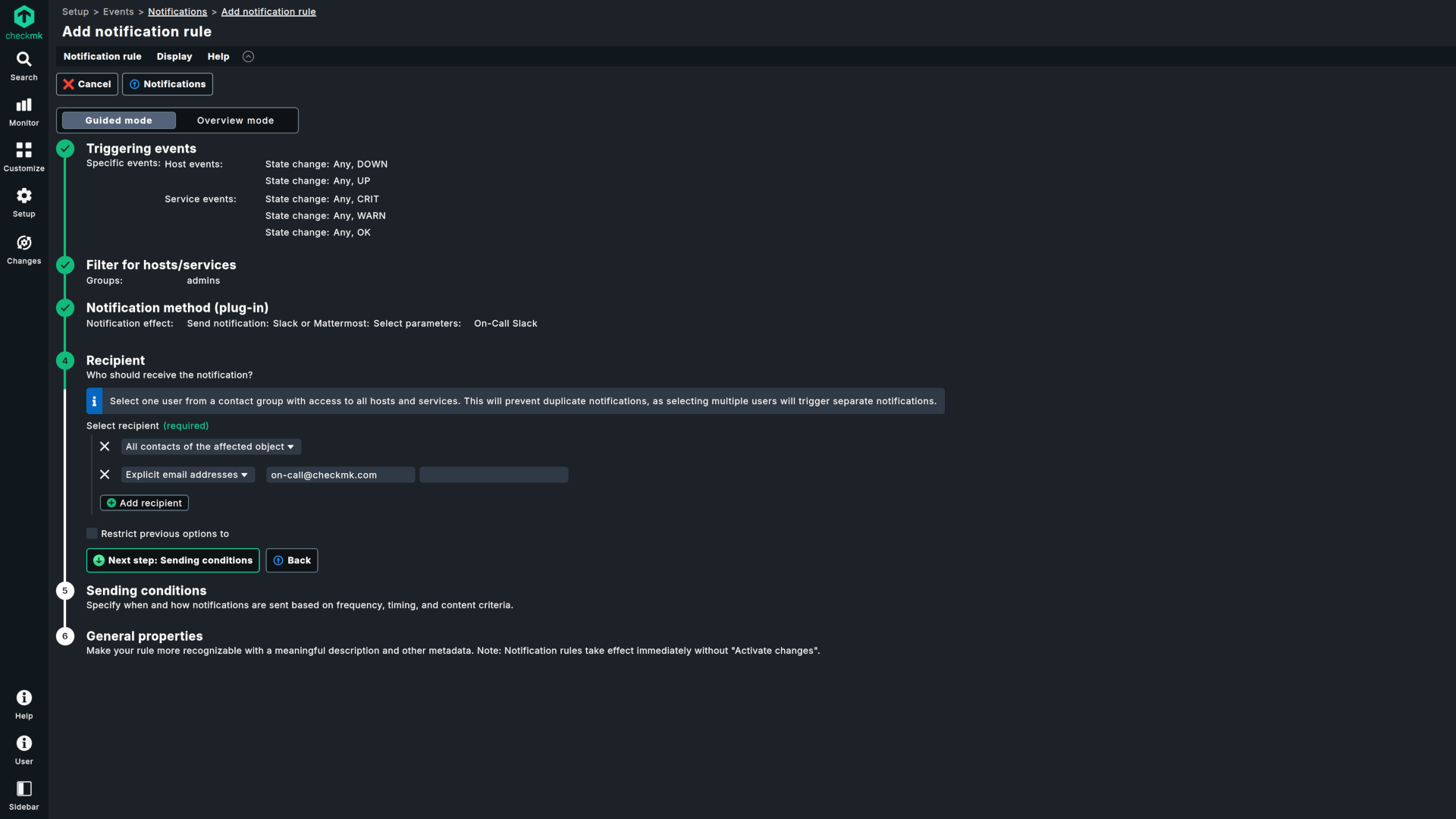
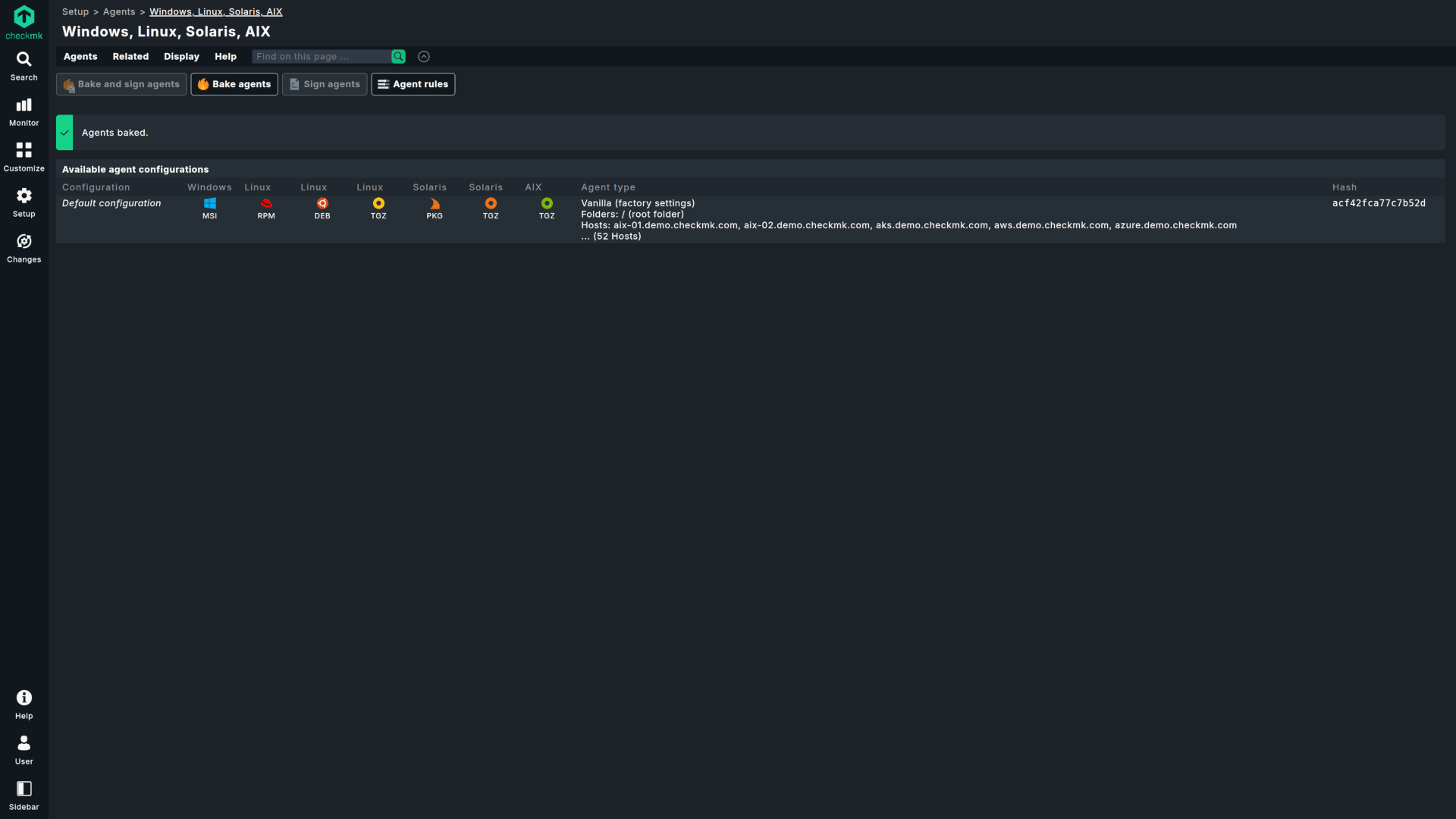
Perform automated and centralized agent deployment, configuration, customization, and updates without the need for external tools or complex operations.
Low-Maintenance
Checkmk drastically reduces ongoing operational overhead by removing the need for constant operating system tuning and manual proxy maintenance.
High Scalability
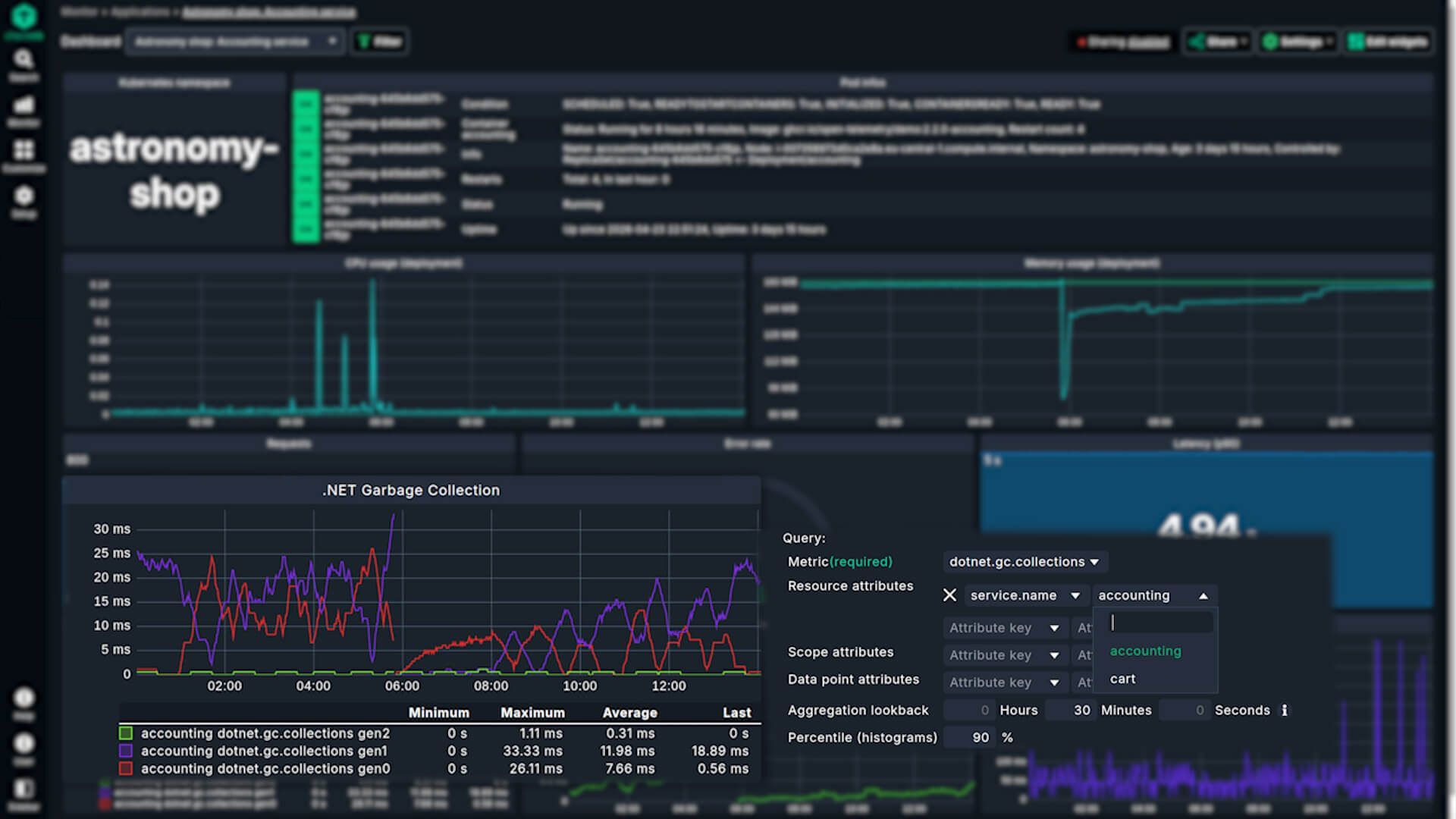
Maintain predictable performance even when scaling across distributed environments. Checkmk delivers scalable monitoring designed to optimize hardware resource consumption.
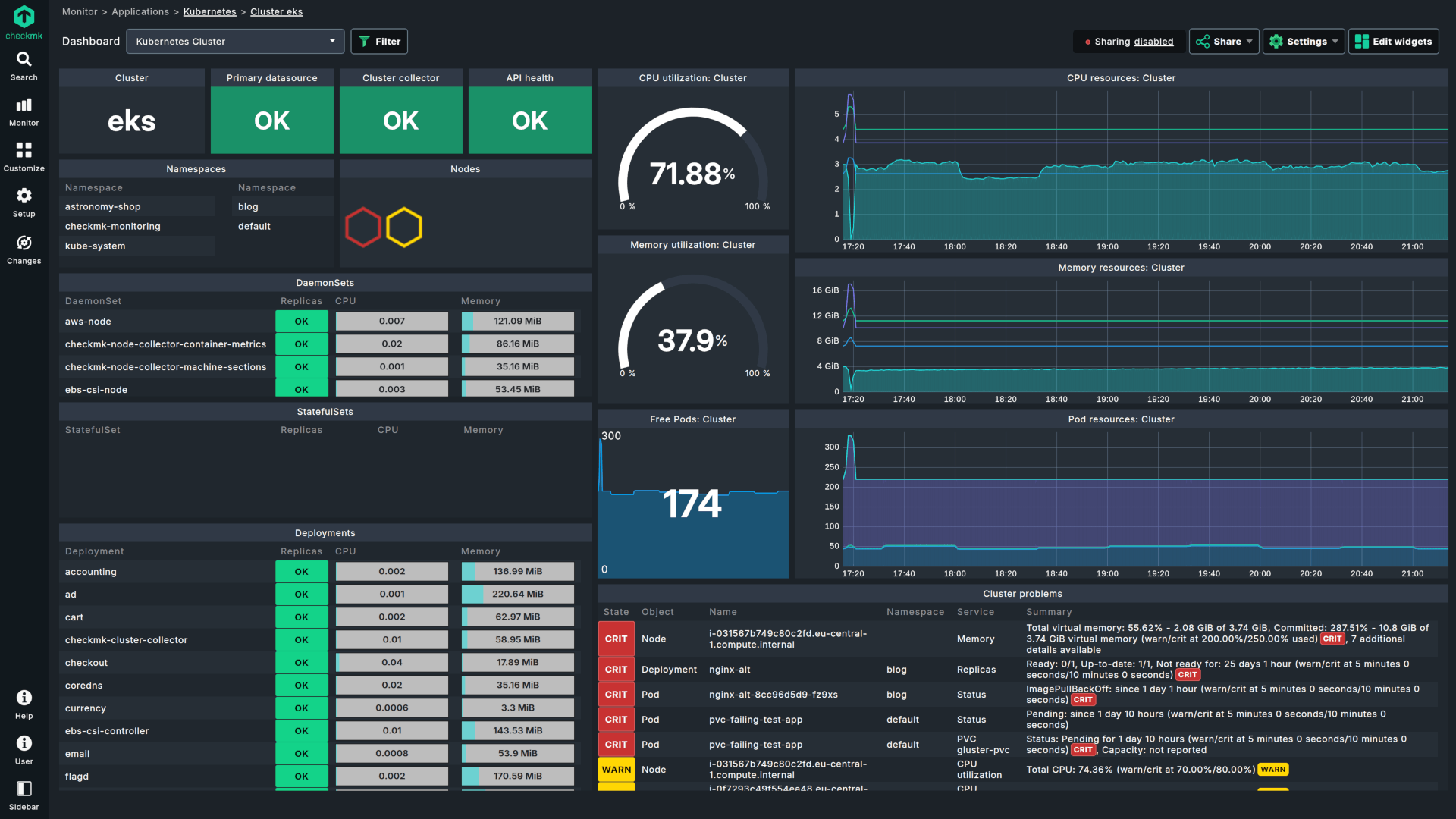
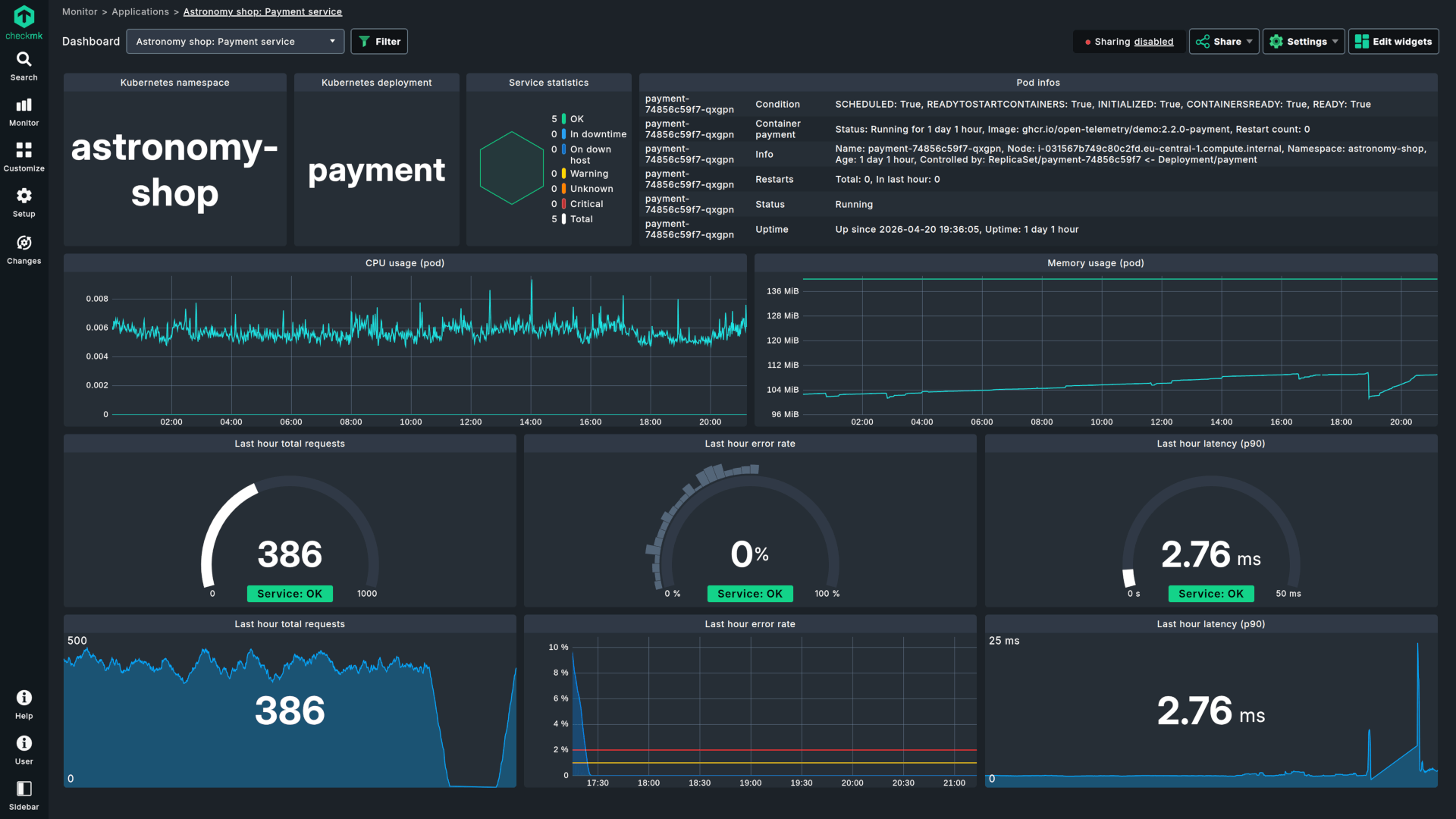
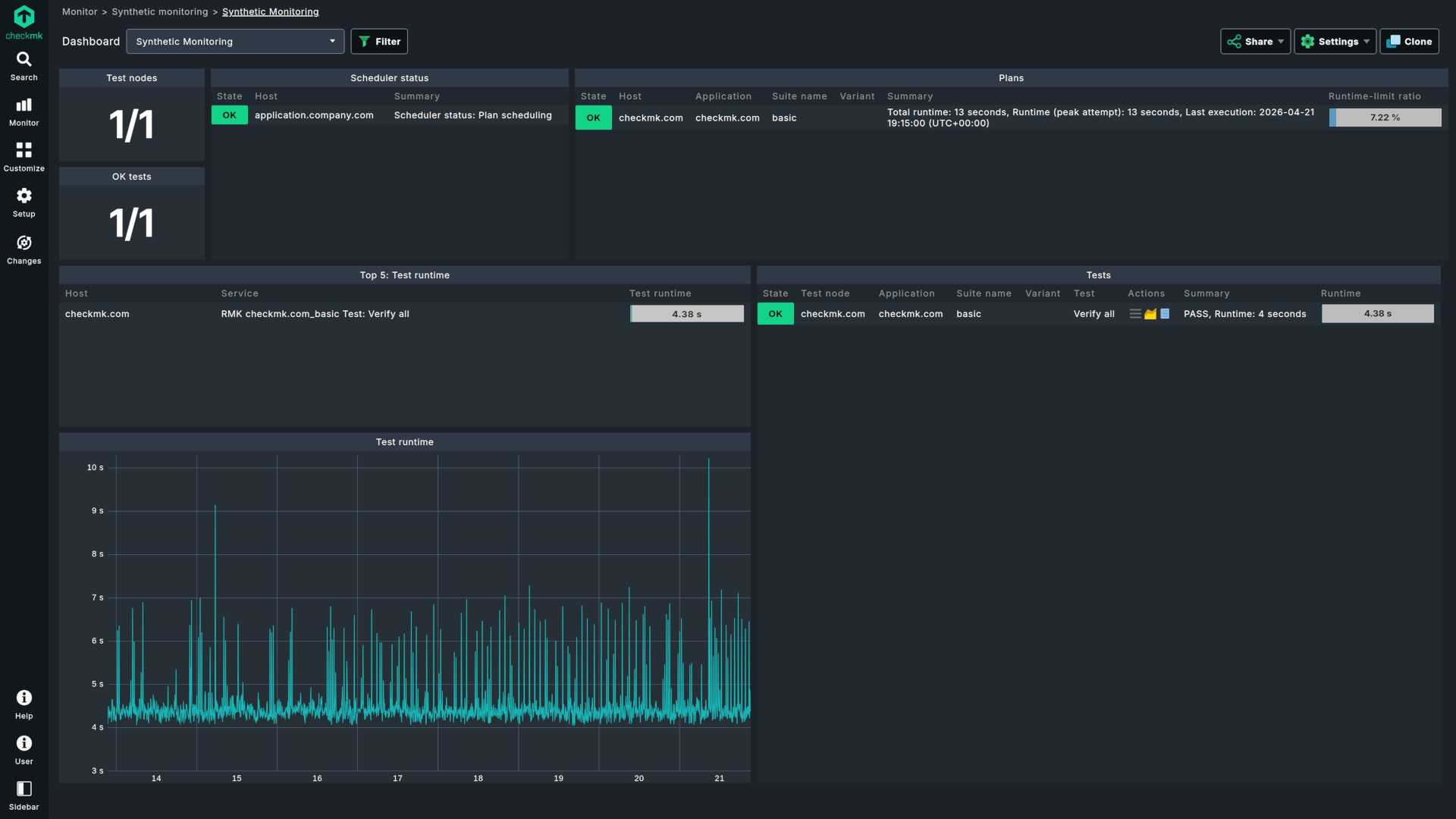
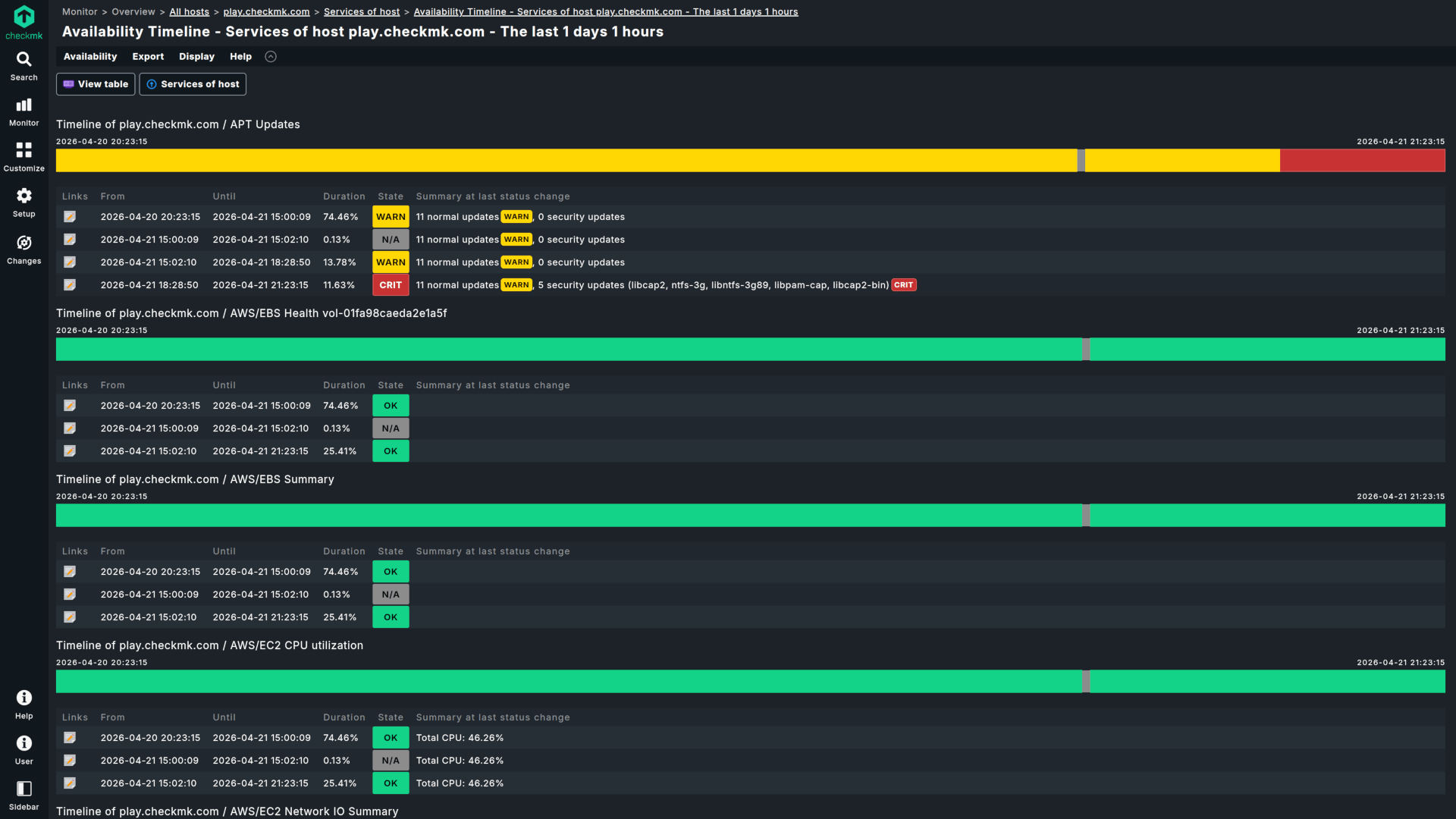
Built for scale. Automated for efficiency.
Structured migration without sacrificing control
Built by system architects who understand granular data. Your migration process is rapid and structured.
Deploy your hub
Deploy via Docker containers, turnkey Virtual Appliances, or native Linux packages. Get the core server running quickly with minimal effort.
Automate discovery
Automatically discover operating systems, network topologies, and storage. Map Proxmox or Kubernetes using built-in special agents and cluster collectors.
Unify your view
Analyze cloud-native microservices side by side with traditional infrastructure data in a single platform.
Empower teams
Deliver clean dashboards that filter out alert noise, helping teams focus on data relevant to their operations.
Checkmk vs other competitors
Evaluating other alternatives? See how Checkmk compares across the monitoring landscape:
Checkmk vs PRTG
Compare host-based and sensor-based licensing models, alongside the architectural differences in resource efficiency.
Checkmk vs SolarWinds
Compare a unified architecture with a multi-module approach, and see how they differ in licensing workflows and system requirements.
Checkmk vs Nagios
Compare traditional open-source foundations with scalable enterprise automation and modern observability.
Frequently asked questions
No. Because Checkmk features automated service discovery, you do not need to manually export, import, or map Zabbix XML templates. Simply deploy the Checkmk agent or run a network scan via SNMP; Checkmk will automatically identify operating systems, hardware components, and running services in minutes.
No. While Zabbix relies heavily on MySQL or PostgreSQL, Checkmk commercial editions run on a proprietary C-based Micro-Core. This engine stores live operational states in-memory, radically lowering CPU and storage overhead.
While Zabbix requires you to manually configure, patch, and maintain independent remote proxies, Checkmk features built-in distributed monitoring. You can connect multiple remote sites and manage your entire global infrastructure from a single central interface, without increasing configuration or OS maintenance complexity.
Yes. Available in Checkmk Ultimate and Checkmk Cloud, the platform features native OpenTelemetry (OTel) metric ingestion via OTLP. This allows enterprise teams to cross-analyze application performance data against underlying hardware bottlenecks. By utilizing built-in dashboards for RED signals (Rate, Errors, Duration) side-by-side with traditional server and network metrics, system architects can accelerate root-cause analysis.
Available in Checkmk Ultimate and Checkmk Cloud, a Checkmk Relay is a lightweight container designed to monitor SNMP devices and hosts in isolated network segments that the central server cannot reach directly due to firewall restrictions. While Checkmk Pro centralizes configuration across standard Remote Sites, the Checkmk Relay operates as an outbound-only collector that gathers data locally and securely forwards it via mTLS connections back to the central server. Unlike traditional Zabbix proxies, it requires no local database configuration or manual database tuning, significantly reducing administrative overhead in distributed environments.
Checkmk commercial editions provide native, out-of-the-box monitoring for AWS, Microsoft Azure, and Google Cloud Platform (GCP).
Not always. Checkmk's edge is lower configuration and maintenance overhead through rule-based automation and auto-discovery, so it pays off most when you are scaling, consolidating tools, or short on time to hand-build and tune. For a small, stable environment already running well on Zabbix, staying put is reasonable.
You can start testing immediately by filling out the form above. The trial includes 100% of our enterprise capabilities out of the box for 30 days.
Checkmk offers several flexible deployment options to fit your specific infrastructure needs:
- Linux Server Installation
The most common deployment method. You can install Checkmk directly on a Linux server, whether physical or virtual. Supported Linux distributions include Red Hat Enterprise Linux (RHEL) based systems, SUSE Linux Enterprise Server (SLES), Debian, and Ubuntu. - Cloud Infrastructure
Host your own Checkmk instance on AWS or Microsoft Azure. For the fastest setup, Checkmk Ultimate is available as pre-configured virtual machine images in the AWS and Azure Marketplaces, allowing you to bypass manual installation steps. - SaaS (Software as a Service)
Enjoy hassle-free setup and maintenance-free experience with Checkmk Cloud. Learn more about our SaaS platform. - Docker Containers
Checkmk can be deployed as a Docker container using official images for both Community and commercial editions. The lightweight, self-contained container environment allows for easy deployment and portability. View Docker documentation. - Virtual Appliance
A ready-to-use solution for hypervisors like VMware ESXi, Hyper-V, Proxmox, or VirtualBox. The appliance includes a hardened Debian-based OS and a dedicated web interface for easy, command-free configuration and management. Check virtual appliance details. - Physical Appliance
For a turnkey hardware solution, Checkmk offers physical appliances with pre-installed and optimized software, ready for deployment in data centers. These appliances support high-availability clustering and come in various models with different maintenance levels to ensure 24/7 monitoring uptime. See available devices.
Your environment stays intact. You can choose to transition to a commercial tier or downscale to our free editions without losing configuration data.
You can purchase a Checkmk license online or by requesting a quote from our sales team. Once you have your subscription, you simply enter your license credentials directly into your existing trial site.
The Checkmk server is not supported on Windows. However, you can monitor Windows hosts using the Checkmk agent. For the server itself, we suggest starting a Checkmk Cloud trial — our SaaS edition that runs entirely on our cloud infrastructure.
The easiest way to get started with a PoC is to start a trial, create a new site, and use the 30-day trial period. If you need more than 30 days to build your PoC, please contact our sales team, and we will be happy to issue an extended PoC license.
By using one of the self-hosted Checkmk editions you are in control of your monitoring data, which never leaves your infrastructure. The data for processing your account and subscription is securely stored and processed exclusively within the European Union. With Checkmk Cloud, you can choose where to keep all your data between the US (Virginia) and the EU (Frankfurt). In the latter case, your sensitive information never leaves EU borders.
Yes, Checkmk ensures full compliance with GDPR and other stringent EU regulations. Our security and data-processing practices are documented and designed to safeguard your data. You can read more on how we process data on the Privacy Policy page.
Experience why enterprise DevOps and IT operations teams are moving away from manual template tuning.
Note: competitive comparisons presented on this page are based on publicly available information, user reviews, and product documentation as of July 2026.